 11172
11172A handwriting font maker for iPadiPad 손글씨 폰트
Write ten sentences. Get a font of your handwriting.열 문장을 쓰면 내 손글씨가 폰트가 돼요.
Trace ten sentences on manuscript paper with Apple Pencil, and 11172 makes a TrueType font with all 11,172 Hangul syllables, plus digits, Latin letters and punctuation — in your handwriting.
Apple Pencil로 원고지에 열 문장을 따라 쓰면, 한글 11,172자 전부와 숫자·영문·기호가 든 내 손글씨 폰트(TTF)가 만들어져요.
How it works사용 방법
-
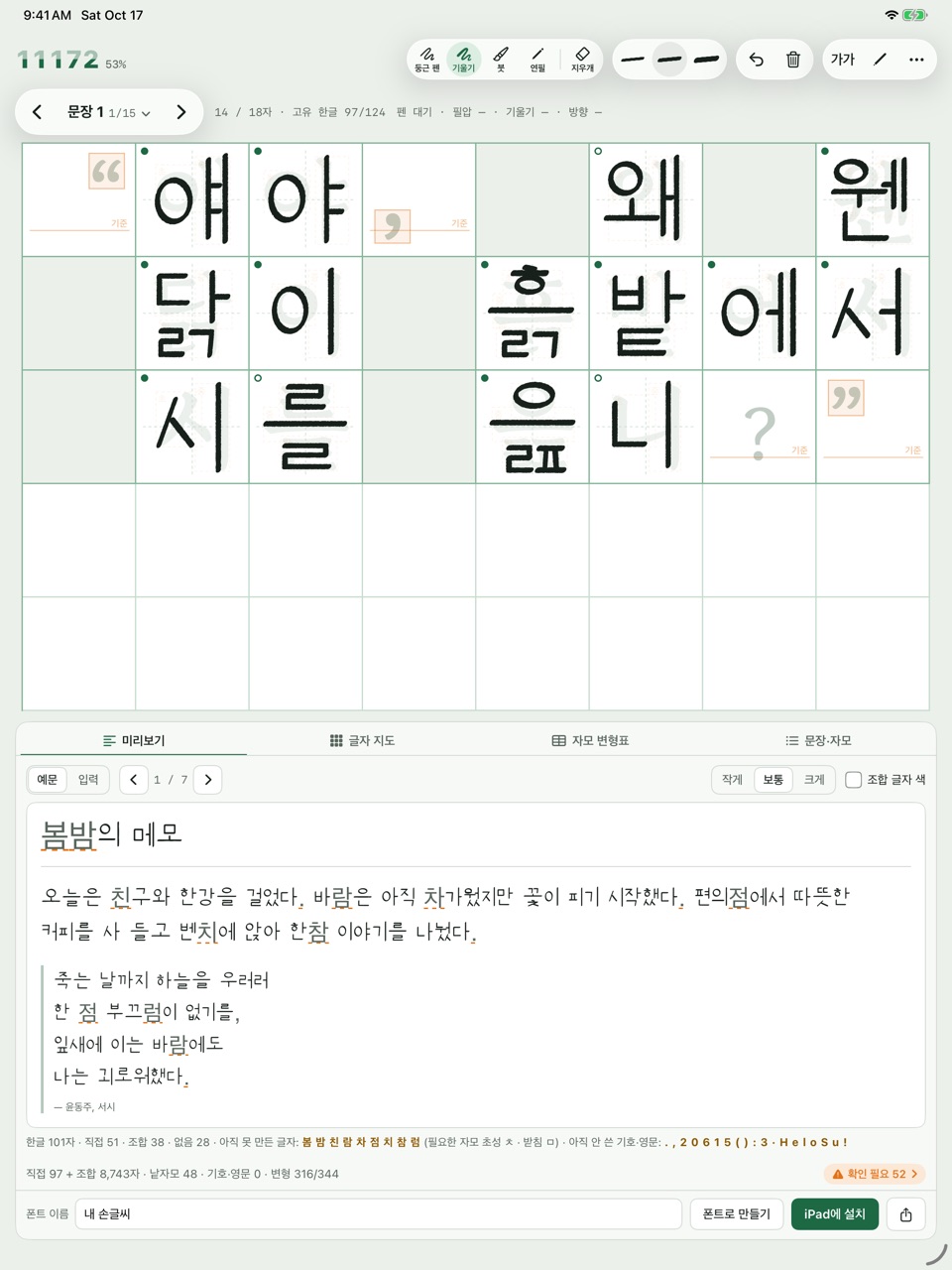
Trace따라 쓰기
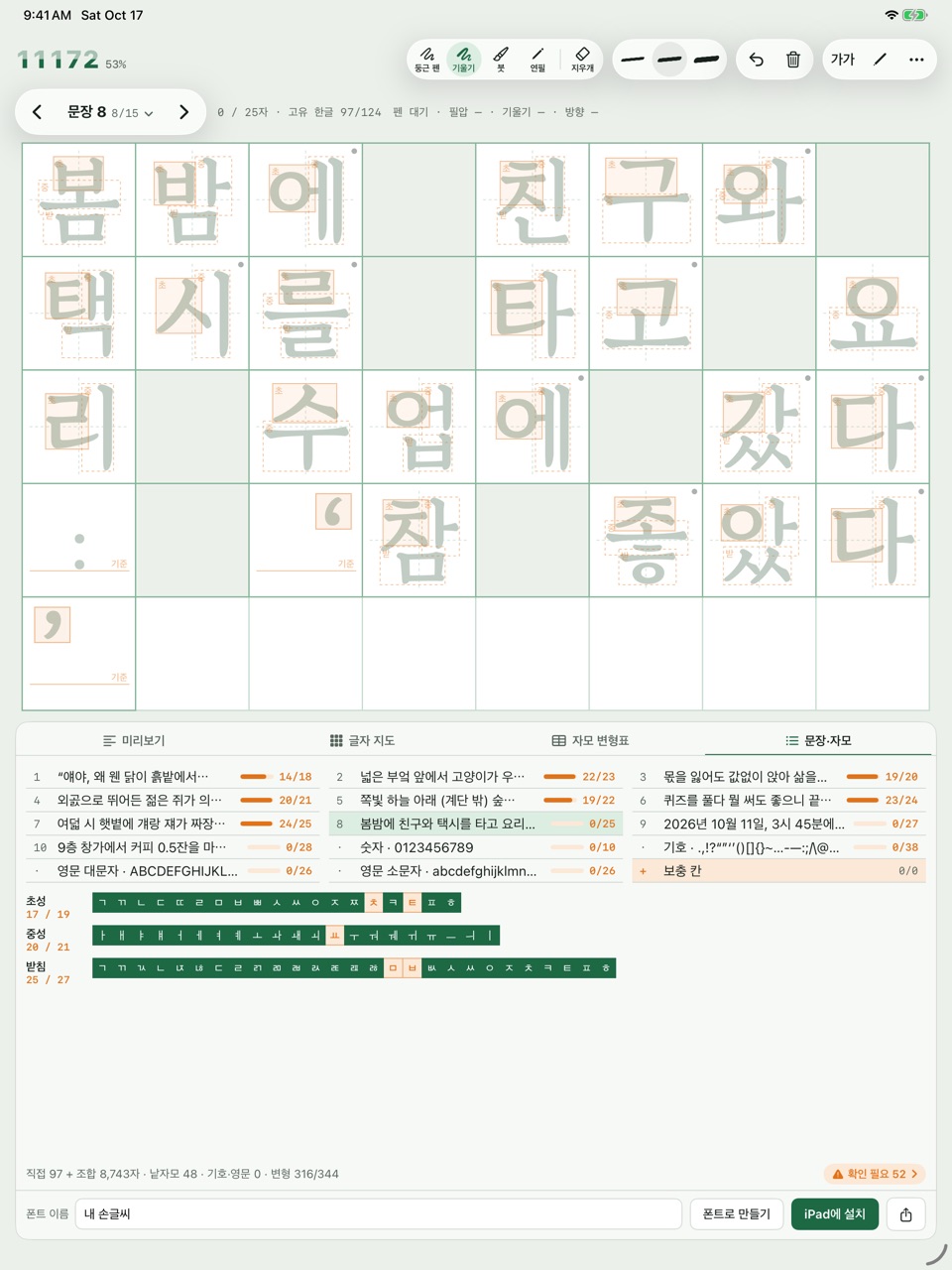
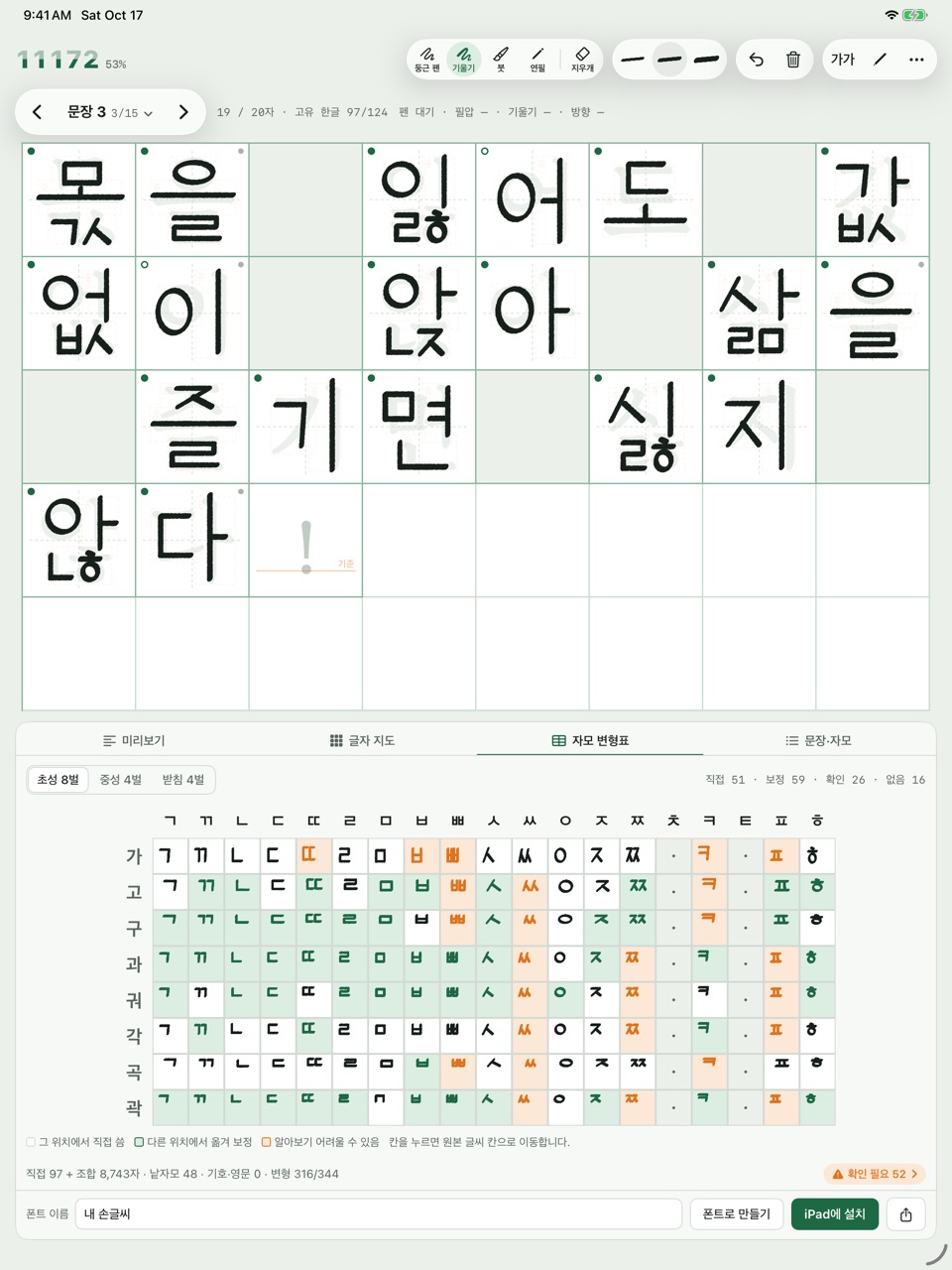
Write over the gray model letter in each cell. An orange box shows where the next jamo goes.
칸마다 회색 모범 글자를 따라 써요. 주황 상자가 지금 쓸 자모의 자리를 알려 줘요.
-
Watch it grow바로 폰트로
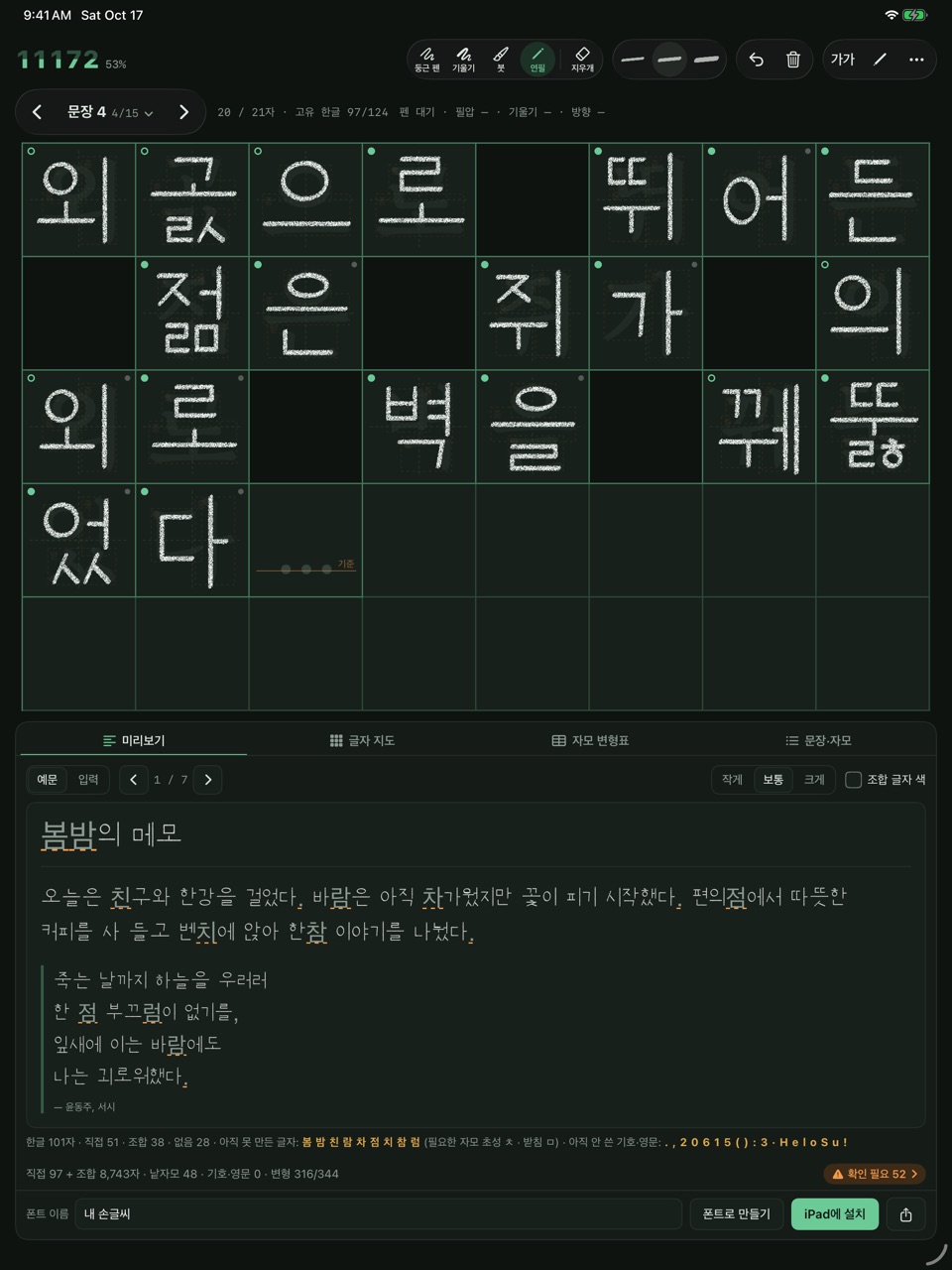
Lift the pen for a moment and the font is rebuilt. The memo preview shows it in your handwriting.
펜을 잠깐 떼면 폰트가 다시 만들어지고, 메모 미리보기에 내 글씨로 보여요.
-
Install설치하기
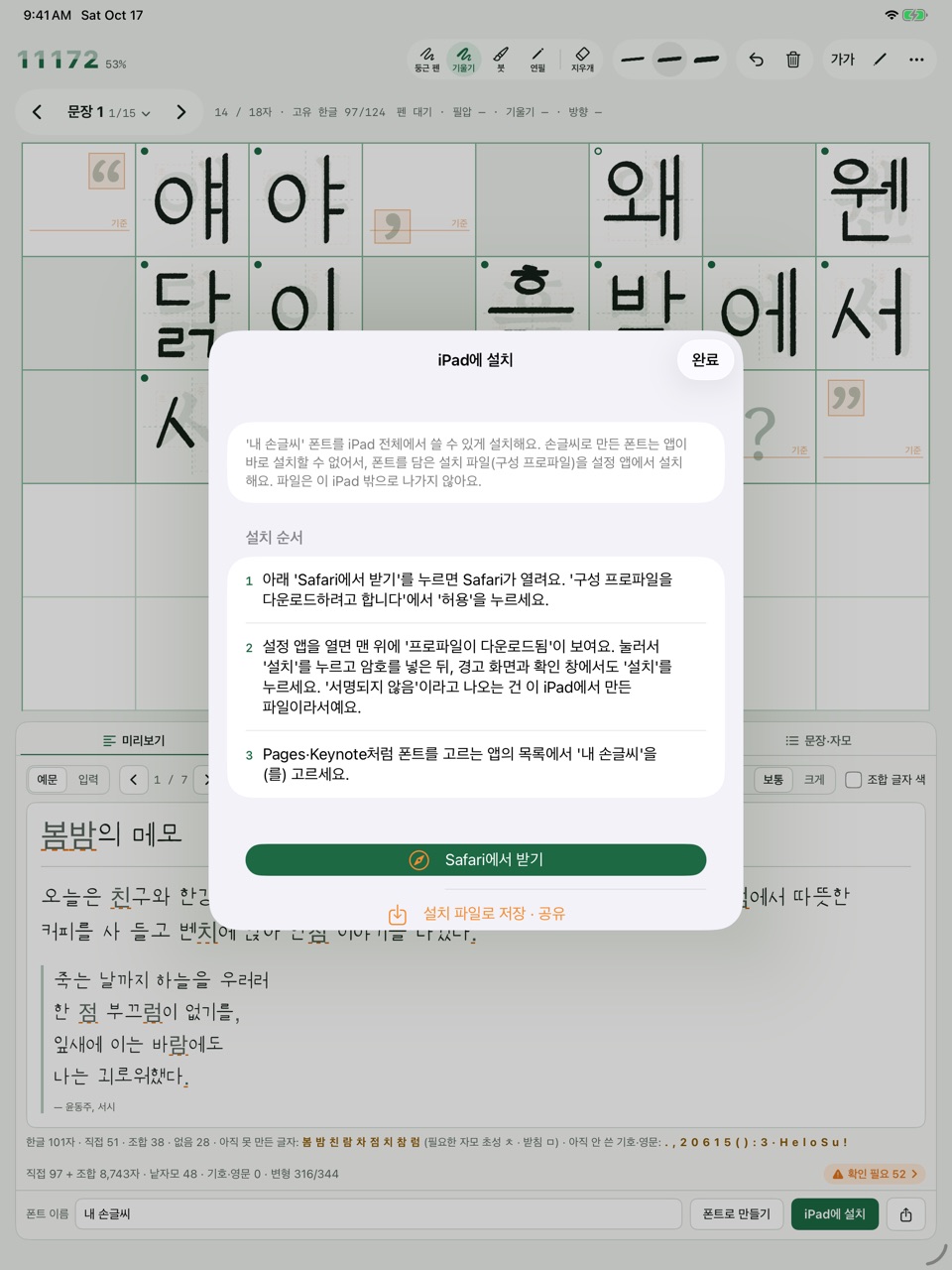
Install it on your iPad and choose it in Pages or Keynote — or share the TTF file.
'iPad에 설치'로 Pages·Keynote에서 골라 쓰거나, TTF 파일로 공유해요.
Everything a Hangul font needs한글 폰트에 필요한 것
All 11,172 syllables11,172자를 모두
Your letters are split into initial, vowel and final jamo and fitted to every position, so even syllables you never wrote are composed.
쓴 글자를 초성·중성·받침으로 나누고 자리에 맞게 옮겨, 쓰지 않은 글자까지 조합해요.
Four pens, three weights펜 4종, 굵기 3단
Round pen, tilt pen, brush and pencil. Pressure and tilt shape every stroke, and the pencil keeps its graphite grain in the font.
둥근 펜·기울기 펜·붓·연필. 필압과 기울기가 획에 그대로 들어가고, 연필은 흑연 결까지 폰트에 남아요.
The glyph map글자 지도
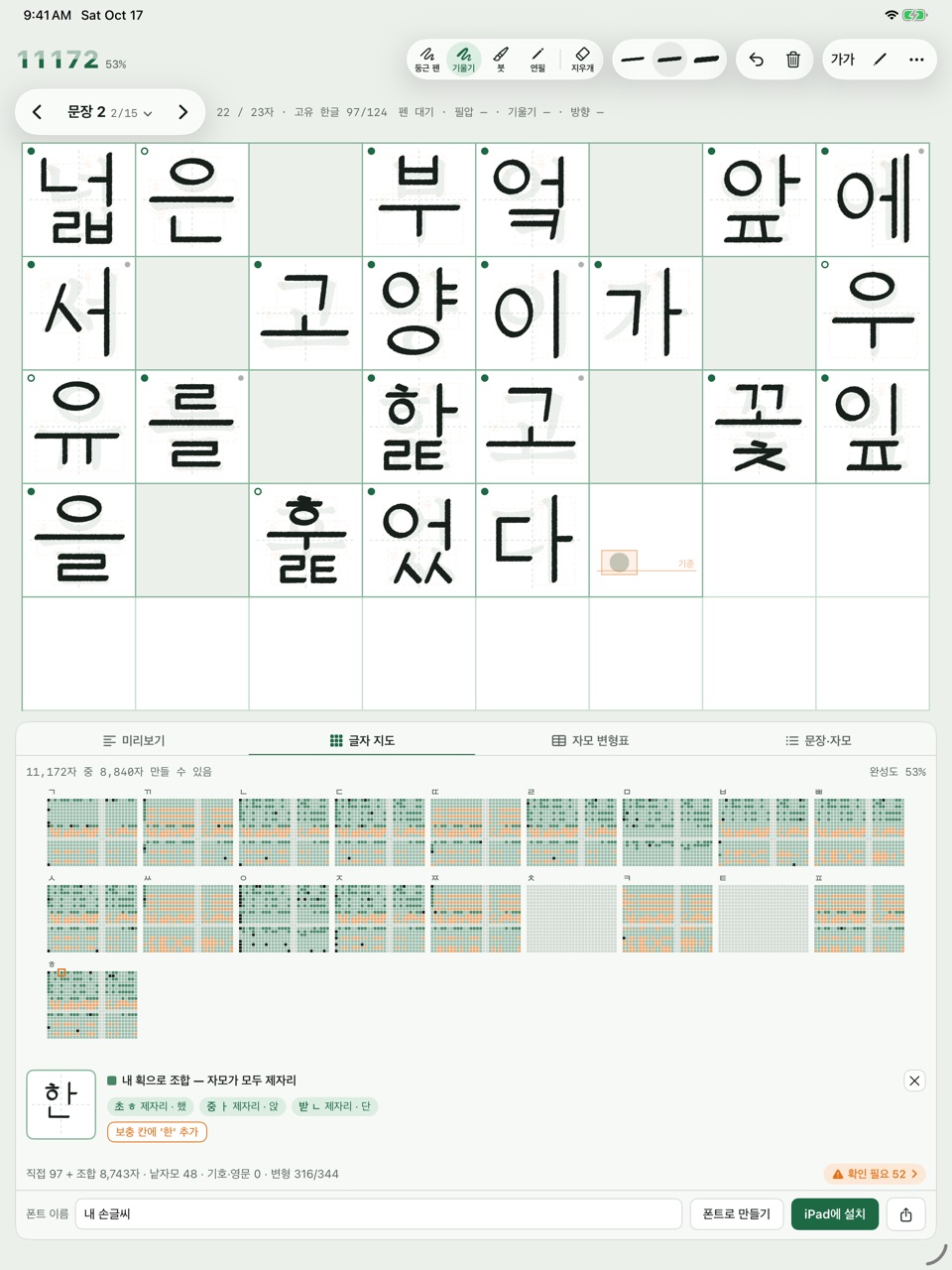
See all 11,172 syllables as dots: which ones you wrote, which were composed, and which still need a jamo.
11,172자를 점 하나씩 보며 직접 쓴 글자, 조합한 글자, 아직 자모가 모자란 글자를 알아봐요.
Fix by rewriting다시 써서 고치기
Find awkward jamo in the variant table and rewrite them in extra cells — the font takes the new shape. Cells that read as their letter get a green dot.
자모 변형표에서 어색한 자모를 찾아 보충 칸에 다시 쓰면 그 모양으로 바뀌어요. 그 글자로 읽히는 칸에는 초록 점이 찍혀요.
Four model styles모범 글씨체 4가지
Trace whichever style suits you: Gowun Batang, Nanum Myeongjo, Nanum Pen Script or Apple SD Gothic Neo.
고운바탕·나눔명조·나눔손글씨 펜·Apple SD 산돌고딕 Neo 중 따라 쓰기 편한 글씨체를 골라요.
Stays on your iPad내 글씨는 내 iPad에만
No account, no server, no ads, no tracking, no internet needed. Your handwriting and fonts never leave your iPad.
계정·서버·광고·추적이 없고 인터넷도 필요 없어요. 쓴 글씨와 만든 폰트는 어디로도 보내지 않아요.
See it in action화면
What you need필요한 것
An iPad with iPadOS 17.5 or later. Apple Pencil is recommended; turn off "Pencil만" (Pencil only) in the tool bar to write with a finger.
iPadOS 17.5 이상의 iPad. Apple Pencil을 권장해요. 도구 막대의 'Pencil만'을 끄면 손가락으로도 쓸 수 있어요.
The app is in Korean.
앱 화면은 한국어예요.
Installing the font폰트 설치
iPadOS doesn't let an app install a font it made, so 11172 hands Settings a configuration profile that holds just your font. It never leaves your iPad, and you can remove it anytime in Settings › General › VPN & Device Management.
iPad는 앱이 만든 폰트를 바로 설치하지 못해서, 폰트 하나만 담은 설치 파일(구성 프로파일)을 설정 앱에서 설치해요. 파일은 iPad 밖으로 나가지 않고, 설정 › 일반 › VPN 및 기기 관리에서 언제든 지울 수 있어요.